New: profit worked out from the reconciled deposit, not from order revenue. See how it is built
 Centclose
Shopify Payments QuickBooks OnlineRead-only
Every payout, tied out
to the cent.
Shopify tells you a deposit landed. Centclose tells you why it is that number — every sale, fee, refund, chargeback and reserve behind it — and hands you a journal entry that balances.
Free plan, no card · two read-only permissions · never writes to your accounting software
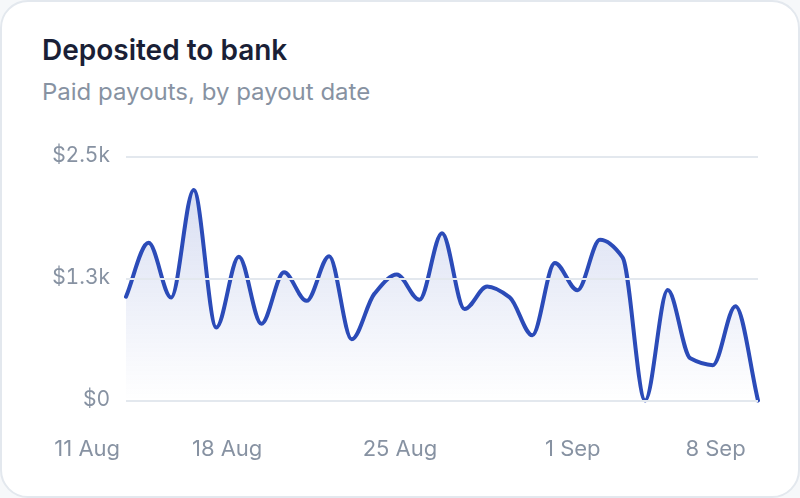
- Deposit vs. the transactions behind it
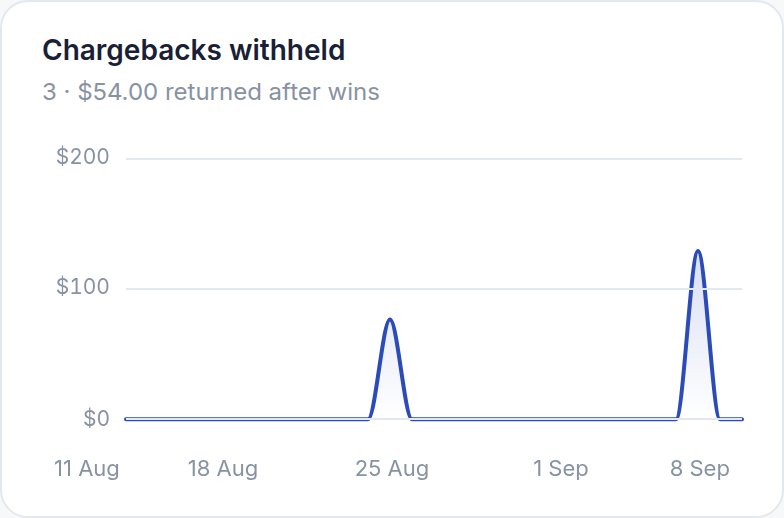
- Chargebacks withheld
- Chargeback fees
- Refunds
- Reserves held
- Reserves released
- Shopify bills
- Shopify Capital repayments
- Failed payouts
- Adjustments
- Test-mode transactions
- Mixed currency
- Journal entry balances
Watch it work on a month of payouts
Sample payouts, run through the same engine the app uses: checked, booked, written as entries, and then the costs taken off. Nothing is written to your books — the entry is a file you review and import.
The money on one screen, the payouts on the next
The Overview is four figures and a year of profit by month. The Payouts screen is every deposit, refund and chargeback by day, then every payout with its status, filtered and searchable.
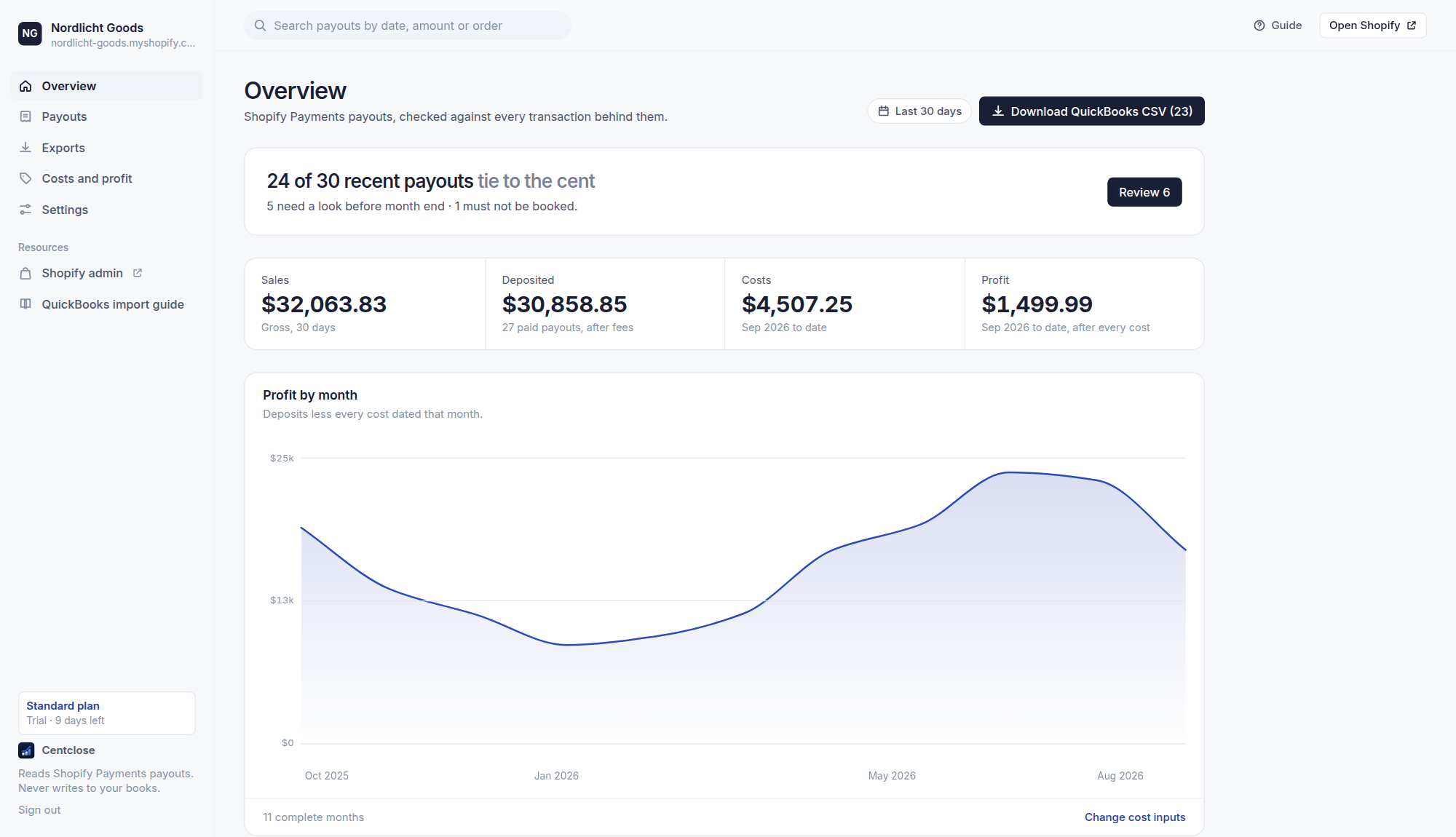
Every month’s profit, not just this one.
Sales, deposited, costs and profit — then profit by month for as far back as Shopify keeps payouts. Read from the payout headers, so a year costs one scan.
How the figure is built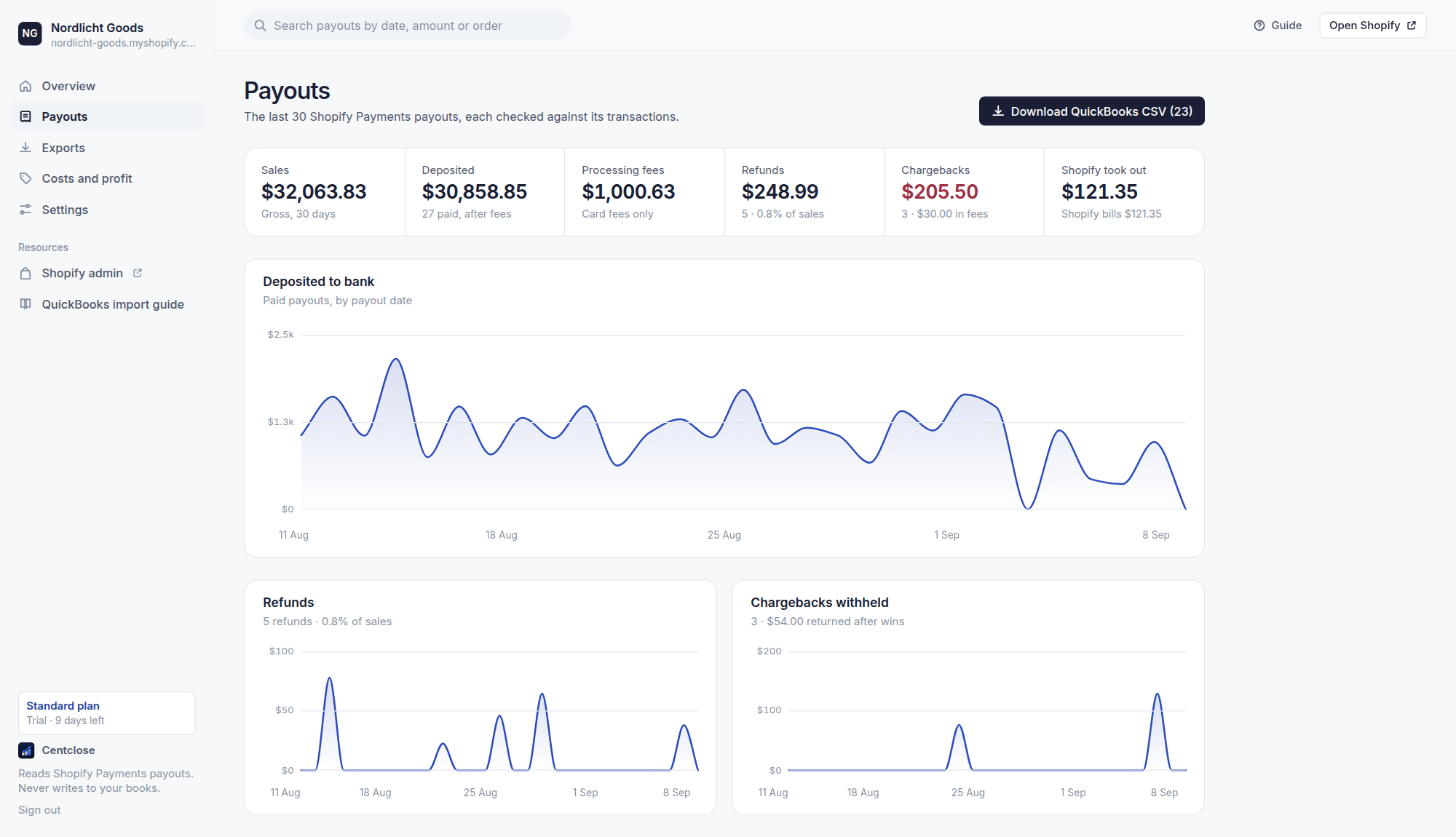
Which payouts tie, and which don’t.
Deposits, refunds and chargebacks by day, then the list: what ties, what needs a look, what must not be booked — with the difference named in money.
What gets checkedReconciliation that names the difference in money
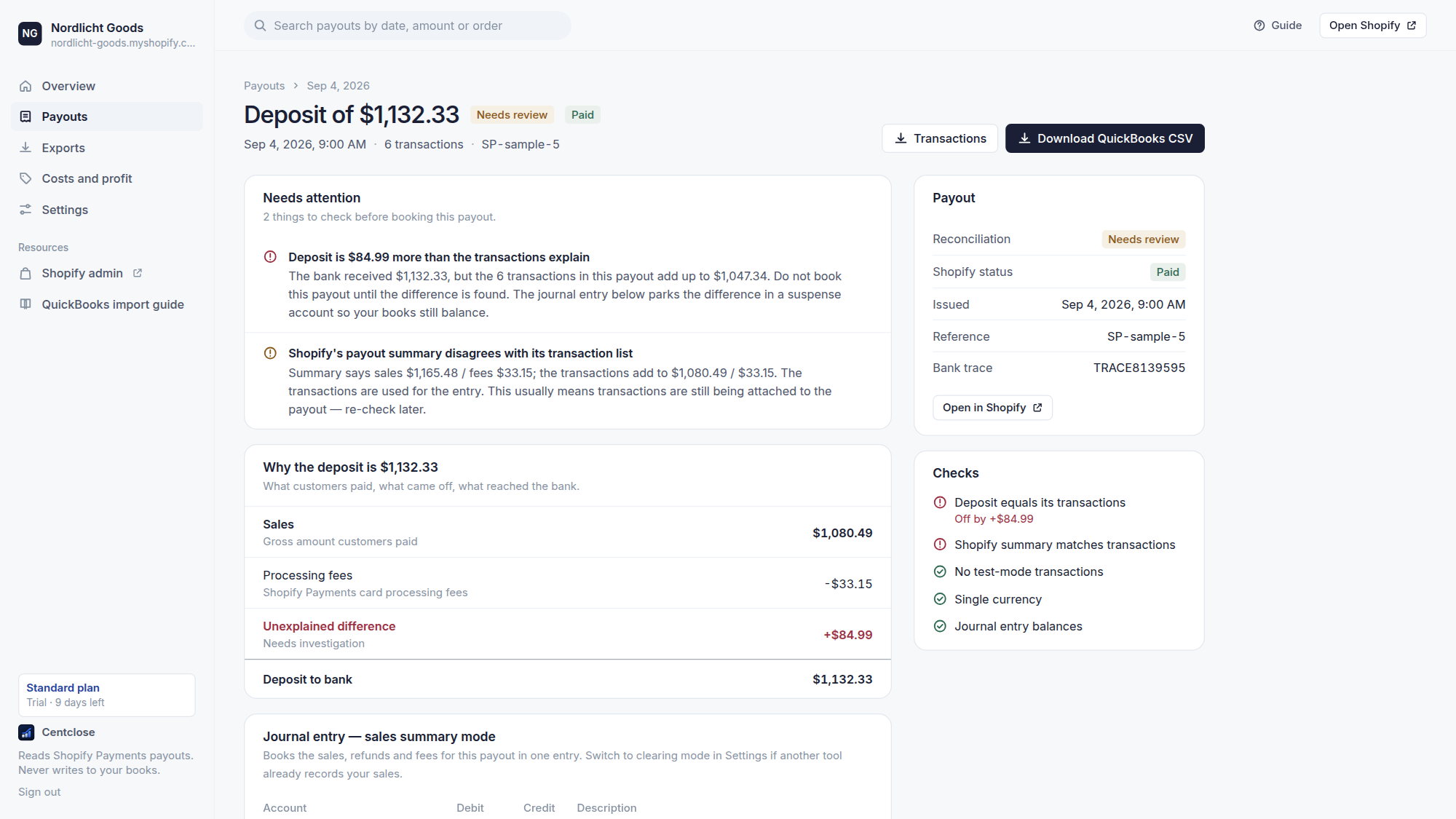
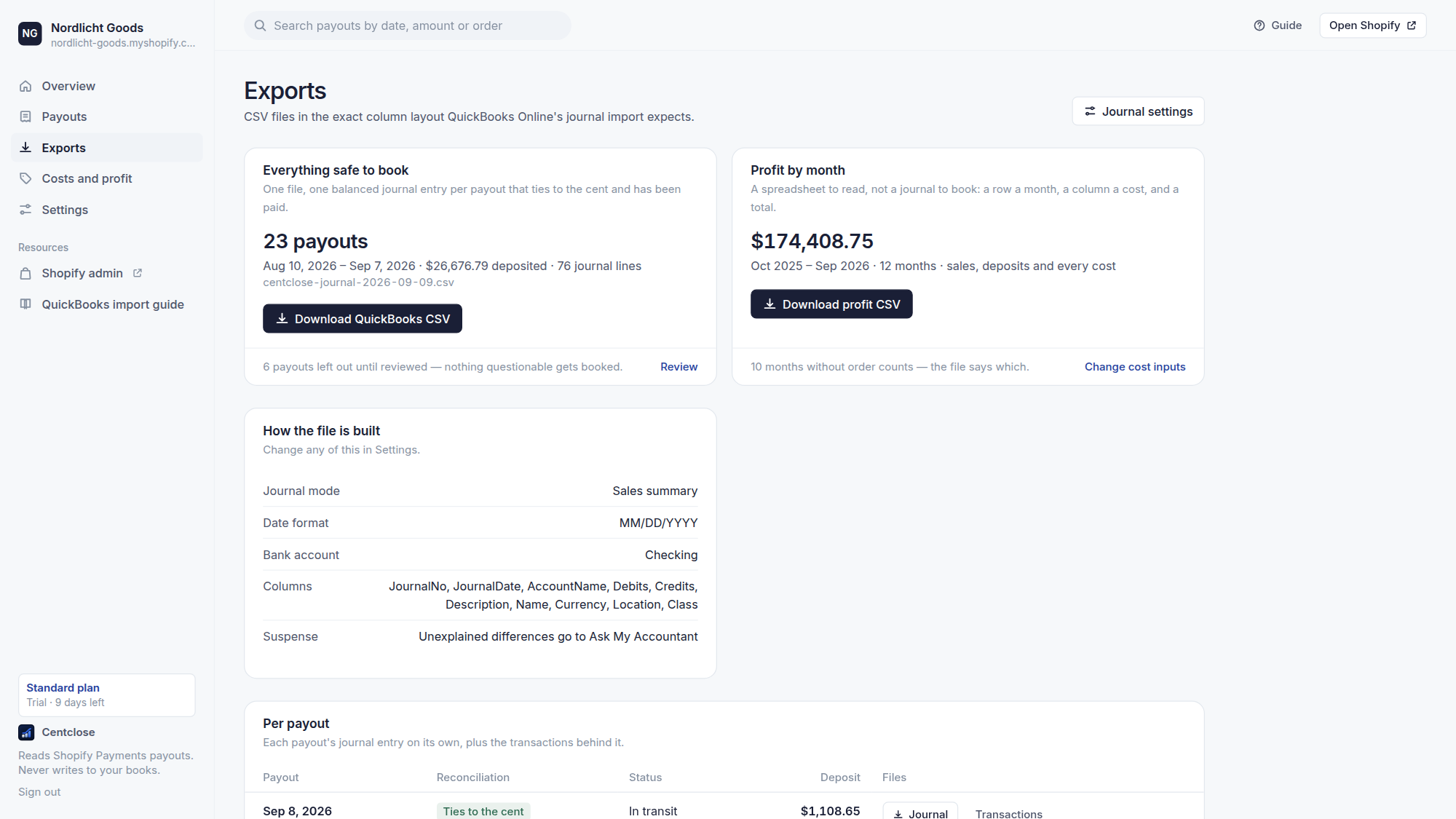
Exports your ledger can actually accept
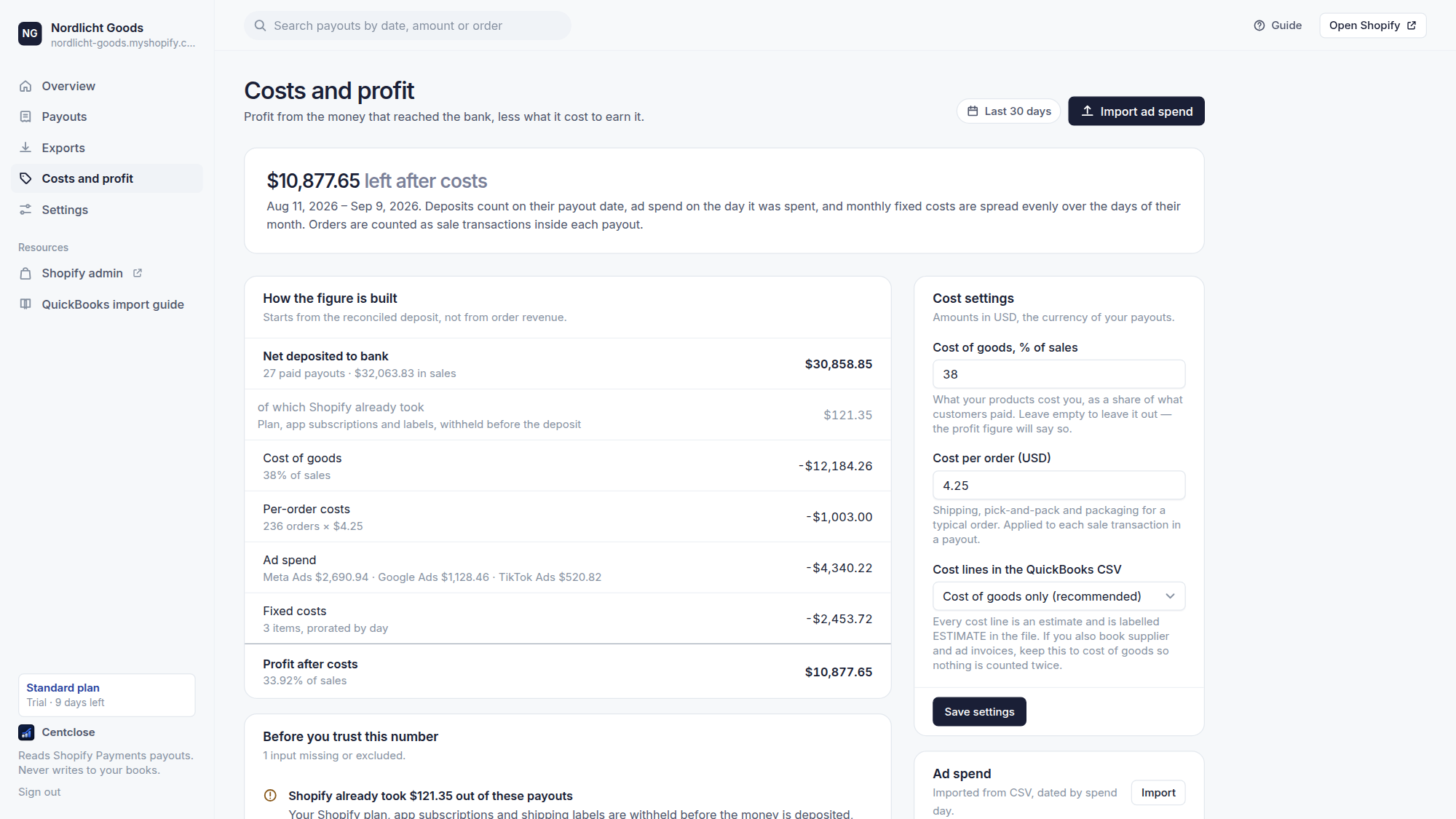
Costs subtracted from the deposit, not from revenue
Read-only access, and nothing written back
Centclose is asking to read
- Your Shopify Payments account
- Its payouts and balance transactions
And nothing else
- Customers
- Orders
- Products
- Card details
- Write access
A deposit that doesn’t tie
Sync tools post the number and move on. This is what they post when a chargeback was withheld on the way to the bank.
Aug 31, 2026
Payout to Checking ····4471
- Shopify deposited
- $1,132.33
- The transactions behind it explain
- $1,047.34
- Unexplained difference
- +$84.99
Centclose checks that arithmetic on every payout the day it arrives, names the difference in money, and keeps the payout out of your export until you have looked at it.
Profit from what actually arrived
Every profit app starts from order revenue, which is not what reached the bank. Centclose starts from the reconciled deposit, takes off what it cost to earn it, and says which costs you have not told it about yet.
Aug 7 – Sep 5, 2026 · last 30 days
How the figure is built
- Net deposited to bank27 paid payouts · $32,063.83 in sales
- $30,858.85
- of which Shopify already tookPlan, apps and labels, withheld before the deposit
- $121.35
- Cost of goods38% of sales
- −$12,184.26
- Per-order costs236 orders × $4.25
- −$1,003.00
- Ad spendMeta Ads, imported from CSV
- −$2,208.22
- Fixed costs3 items, prorated by day
- −$2,447.10
- Profit after costs40.59% of sales
- $13,016.27
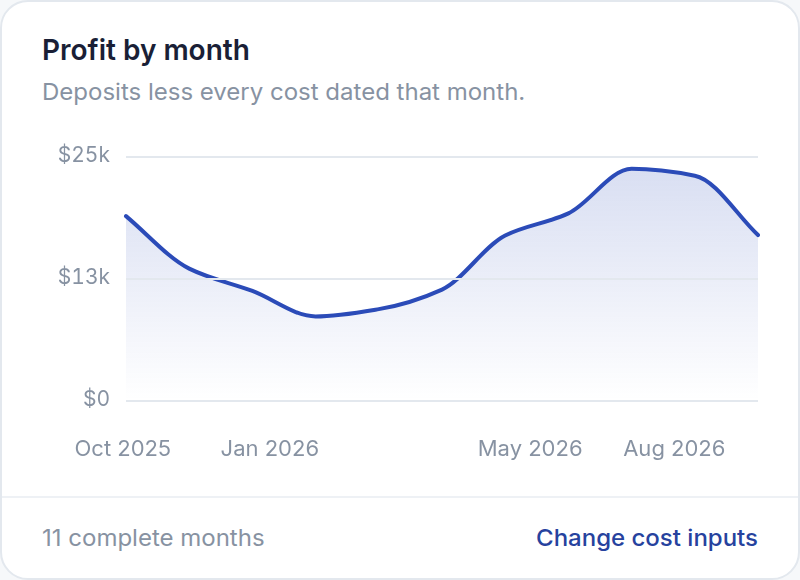
A year of it on the Overview, month by month, from the payout headers alone. An input you have not entered is named, never treated as zero — a figure that quietly leaves a cost out is worse than no figure.
Cost of goods, as a percentage
One number: what your products cost as a share of sales. No product access, no order access, no new permissions.
Ad spend from a CSV
Meta Ads Manager, Google Ads and TikTok Ads Manager exports are read as they are. Every import is previewed, row by row, and can be undone in one click.
Fixed costs, by the day
Rent, salaries, software. Monthly amounts are spread over the days of their month to the cent; one-offs count on their day.
Into the same QuickBooks file
Estimated cost lines, balanced and labelled ESTIMATE, in the entry you already download. Cost of goods only by default, so nothing is booked twice.
Three steps, then it is out of your way
No mapping wizard, no sync to configure, no agent sitting in your books.
Install from Shopify
Two read-only permissions: your Shopify Payments account and its payouts. Nothing about customers, orders or products is requested.
Try for freeRead the payouts that need you
Everything that ties is marked ready. Everything that does not is separated out, with the difference named in money and the transactions that caused it listed.
See what it catchesDownload and import
A QuickBooks journal-entry CSV in your own account names — one payout at a time, or one file for everything safe to book.
Compare plans
What it accounts for, and where it books it
Every balance-transaction type Shopify Payments produces, categorised and booked where it belongs.
Chargebacks
Withheld from the payout, booked to a receivable, released back when you win.
Chargeback fees
Kept separate from card processing fees, so neither figure is overstated.
Refunds
Booked against refunds rather than netted into sales.
Reserves
Money Shopify holds back, and the day it is returned.
Shopify bills
Subscription and app charges deducted from a deposit.
Shopify Capital
Loan and advance repayments taken out of payouts.
Failed payouts
Deposits that never reached the bank, flagged rather than booked.
Adjustments
Anything Shopify posts that does not fit the above — surfaced, never silently absorbed.
Pricing, on your Shopify invoice
Billed by Shopify. Change or cancel from inside the app.
Free
$0/month
Enough to check the last two weeks and see whether your deposits tie.
- 14 days of payout history
- QuickBooks CSV per payout
- One file for everything safe to book
- Clearing-account mode
- Costs and profit from the reconciled deposit
- Docs and email
Free forever, no card.
Standard
$29/month
A year of history and one file per month-end close. Most stores want this.
- 1 year of payout history
- QuickBooks CSV per payout
- One file for everything safe to book
- Clearing-account mode
- Costs and profit from the reconciled deposit
- Email support
No card until the trial ends. Billed by Shopify.
Plus
$59/month
Every payout Shopify still keeps, for catch-up bookkeeping and audits.
- Every payout Shopify keeps
- QuickBooks CSV per payout
- One file for everything safe to book
- Clearing-account mode
- Costs and profit from the reconciled deposit
- Priority email support
No card until the trial ends. Billed by Shopify.
Security
What Centclose will never do
Write to your books
Centclose does not connect to QuickBooks, Xero or anything else. It produces a file. You read it and you import it — an app that writes to your ledger can put a wrong number there with nobody reading it first.
Touch customer data
It asks for two read-only Shopify Payments permissions and nothing else. No names, no addresses, no order contents, no card details. Shopify would refuse if it tried.
Keep your numbers
Payouts are fetched while you have a page open and discarded when the response is sent. The only things stored are your access token, your own settings, and the cost figures you choose to type in — deleted when you uninstall.
Find out whether your last payout ties.
Start on the free plan and read the last two weeks. It takes about a minute.